What you get with a free modded server

Free plan
RAM Up to 4 GB (with ads)
Storage 10 GB NVMe SSD
Mod loaders Forge, NeoForge, Fabric and Quilt
Minecraft versions All Minecraft versions
Mods Mods tab (Modrinth) plus manual upload
File access Full FTP and WebFTP
Custom server JARs Yes, after account verification
Backups Server backups, with Google Drive sync
Address Free .enderman.cloud subdomain
Protection DDoS protection
Database Free MySQL database
Extra ports For Dynmap, GeyserMC and voice chat mods
Co-owners Sub-users can help manage the server
Locations Canada, Germany and Finland
Apps iOS and Android apps to manage your server

Supported mod loaders

Your loader has to match your mods. Every mod is built for one loader and one Minecraft version, so check the mod or modpack page first, then pick the same loader here.

Forge and NeoForge

Forge and NeoForge are the classic loaders for big modpacks. Choose one of them when your modpack or mod list says Forge or NeoForge. See Forge server hosting.

Fabric and Quilt

Fabric is a lightweight loader that gets new Minecraft versions quickly. It's popular for performance mods and for Cobblemon. Choose one of them when your mods are built for Fabric or Quilt. See Fabric server hosting.

Choosing the right loader

Match two things: the loader and the Minecraft version your mods or pack name. If a pack says "Forge 1.20.1", install Forge for 1.20.1.

Want plugins instead of mods? Plugins run on Paper or Spigot, and they don't mix with Forge or Fabric mods. Use Paper server hosting for plugins.

Install mods from the Mods tab

Forge, Fabric, NeoForge and Quilt servers have a Mods tab in the panel. Search for a mod, and the results are filtered to your server's version and loader, so you only see mods that fit. Click Install and the mod is added to your server.

The Mods tab searches Modrinth.

Got a mod that isn't there? Upload the file to the /mods folder with WebFTP or FileZilla, then restart the server.
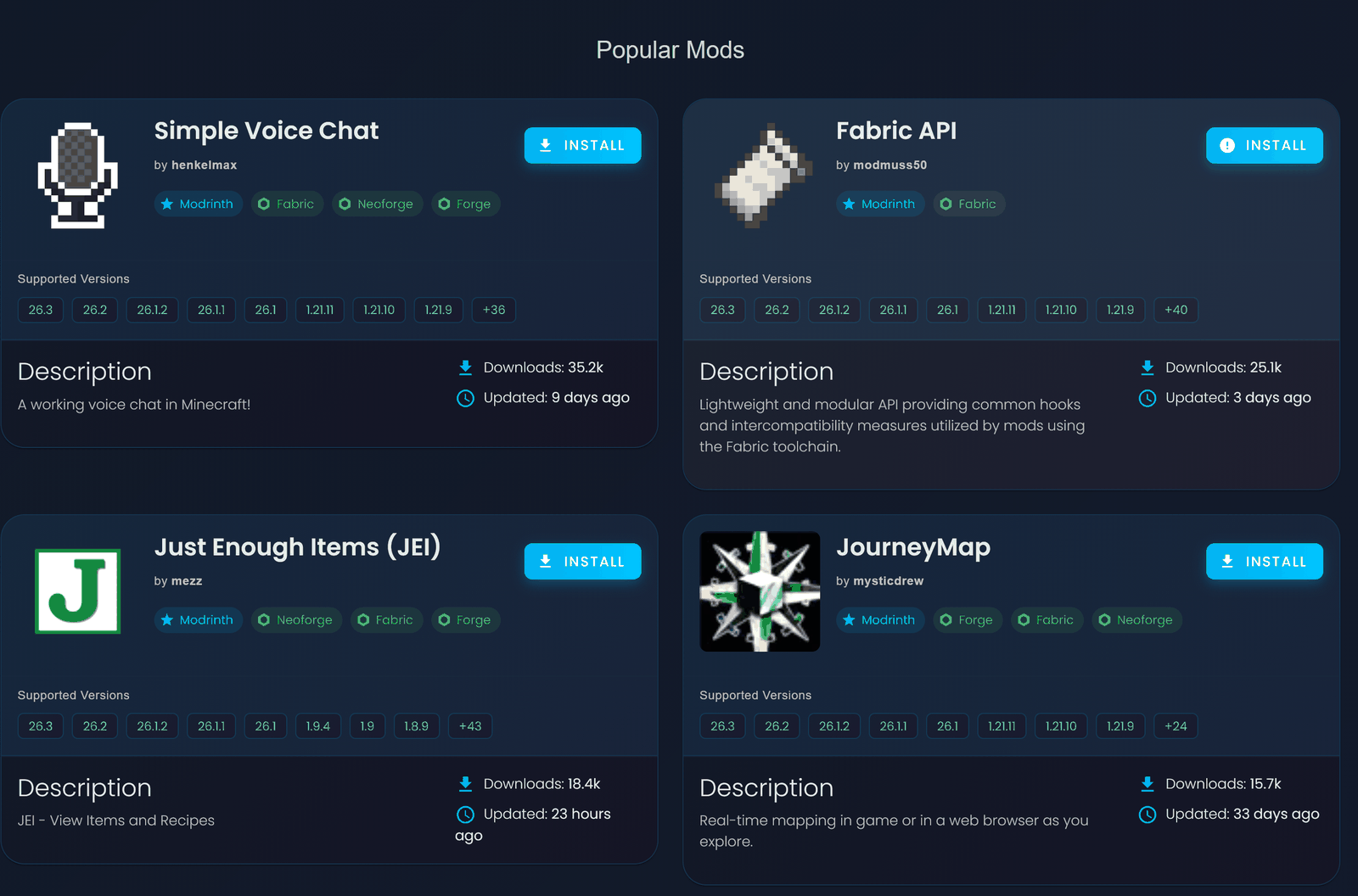
Popular Mods grid in the FreeMcServer panel Mods tab, showing Simple Voice Chat, Fabric API, JEI and JourneyMap with Install buttons and Modrinth tags

Run a modpack by uploading its server pack

A modpack is a set of mods with its own configs. You run it on your server by uploading the pack's server pack. Most packs on CurseForge publish one. It takes four steps:

  1. Reinstall to the right loader. Reinstall your server to the loader and version the pack needs. To pick an exact build, open Advanced Options when you reinstall.
  2. Download the server pack. Get the pack's server pack for your Minecraft version from the pack's page.
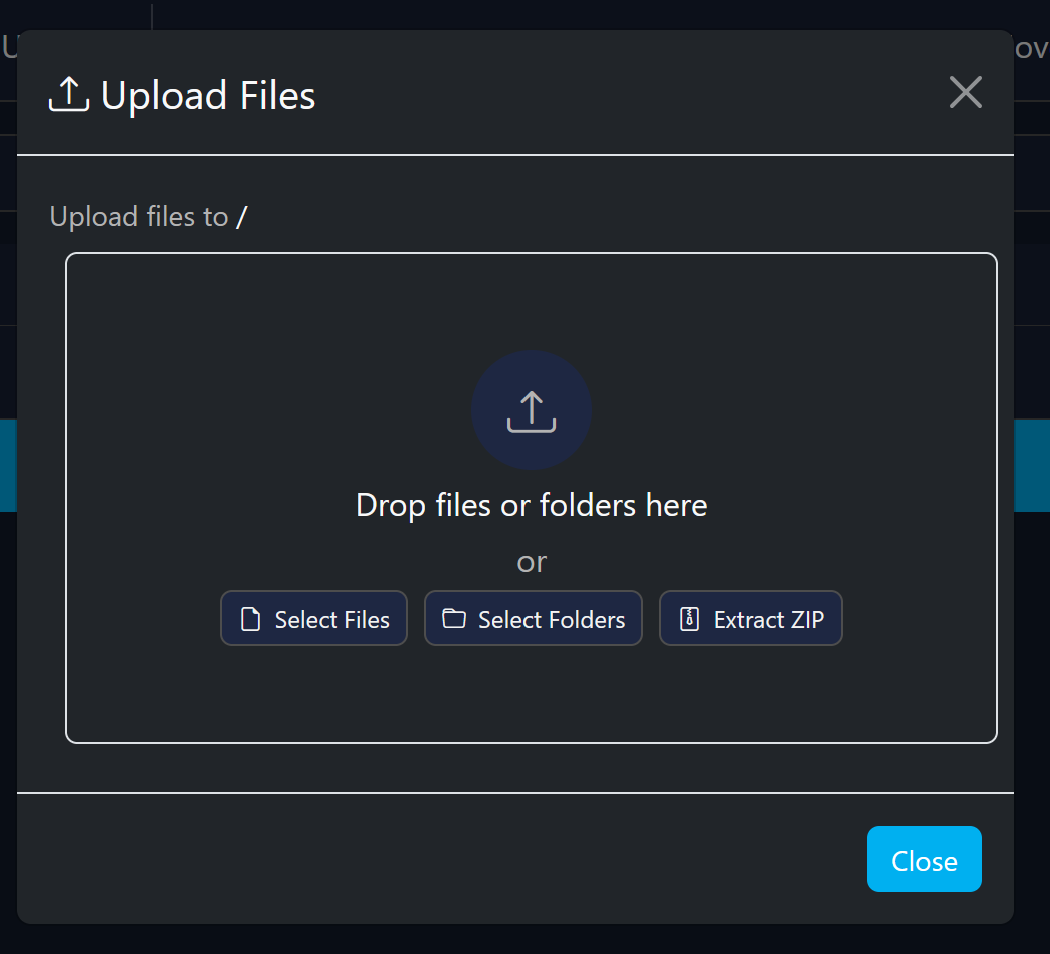
  3. Upload and extract it. Go to the File manager tab, click Open WebFTP, then Upload → "Extract and upload zip file", and choose the server pack zip.
  4. Start the server and watch the console. Big packs can take a while on their first start.

Your friends need the same modpack installed in their own game to join.

Step-by-step help, with screenshots: How to install a modpack on Java edition.

Upload Files dialog in WebFTP with Drop files or folders here, Select Files, Select Folders, and an Extract ZIP button

How much RAM does a modded server need?

It depends on the pack. Light mod lists and Fabric performance setups fit the free plan better than large kitchen-sink packs. Every pack author publishes a memory recommendation, so check the pack's page before you start.

The free plan gives you up to 4 GB of RAM. You reach 4 GB through ads, which is how the free plan pays for itself.

Need more for a big pack? Premium goes up to 8 GB of RAM, with no renewals. It's billed per day in credits, so you only pay for the days you use.

Need more RAM? See Premium

Play with friends on Java (and Bedrock?)

Modded servers run on Java Edition. To join, each friend needs Java Edition with the same loader, the same Minecraft version and the same mods as the server.

Java + Bedrock crossplay with GeyserMC and Floodgate works on Paper plugin servers, not on Forge or Fabric modpacks. If your group mixes Java and Bedrock players, a Paper server is the way to play together. See the Bedrock server page for how it works.

Sharing is simple:

  • Send friends your free .enderman.cloud address.
  • Add a friend as a sub-user so they can help run the server.

Keep your modded world online

Free servers run on a timer. Renew every 4 hours, or every 6 hours with an ad. If nobody is online, the server stops after 30 minutes (60 minutes with an ad).

You don't have to renew alone. Turn on your server's Public Page and friends can start or renew the server without logging in. You can even reward them: set an in-game command such as give {player} diamond 5, and whoever renews gets the items.

Before you add a big mod or update a pack, back up your world. Connect your Google Drive in the Backups tab and your backups are stored on your own Google account.

Want the full picture on keeping a free server running? Read how renewals and the Public Page work.

How to start your free modded server (3 steps)

1

Create a free account

Sign up with your email, Discord or Google account. No credit card needed.

2

Choose your loader and version

Pick Forge, Fabric, NeoForge or Quilt and the Minecraft version your mods need.

3

Add your mods and share the address

Install mods from the Mods tab or upload your modpack's server pack, then start the server and send friends the address.

Create your free modded server

New to hosting? Our guide to making a free Minecraft server covers every step. To tweak settings like difficulty or view distance, try the server.properties generator. Prefer to manage files on your PC? See full FTP access.

FAQ

Yes. FreeMcServer.net hosts modded Minecraft servers for free on Forge, Fabric, NeoForge and Quilt. The free plan is paid for by ads and includes up to 4 GB of RAM, 10 GB NVMe storage and full FTP access. You can add mods from the Mods tab or upload a modpack's server pack, and you don't need a credit card.

Yes. Download the pack's server pack, then upload it with WebFTP using "Extract and upload zip file". Reinstall your server to the loader and version the pack needs first. Very large packs may need more RAM than the free plan gives, so check the pack's memory recommendation before you start.

Yes. Every player needs the same loader, the same Minecraft version and the same mods as the server. For a modpack, that means installing the same modpack in their own game. If something doesn't match, they won't be able to join.

The free plan gives you up to 4 GB of RAM, free with ads. Premium goes up to 8 GB with no renewals and is billed per day in credits. How much a pack needs depends on the pack, so check the recommendation on its page.

Yes. Upload any mod to the `/mods` folder with WebFTP or FileZilla, then restart the server. Custom server JARs are supported too, but they need account verification first.

It's free with ads. The catch is renewals: renew your server every 4 hours, or every 6 hours with an ad, and it stops after 30 minutes with nobody online (60 with an ad). Inactive servers are deleted after 30 days. Friends can start or renew it for you from the Public Page.

Use the loader your mods were built for. Each mod and modpack page names its loader and Minecraft version. Forge and NeoForge run most big modpacks. Fabric and Quilt suit lighter mod lists, performance mods and packs like Cobblemon.

Generally no. Forge and Fabric modded servers are Java Edition, and every player needs the same mods. Java + Bedrock crossplay with GeyserMC and Floodgate is for Paper plugin servers. If your group mixes Java and Bedrock players, run a Paper server instead.

Ready to build your modded world?

Join over 2,000,000 users. Pick your loader, add your mods and invite your friends. No credit card required.

Create your free modded server Need more RAM? See Premium
Scroll Down